
Reading PNR history
Ask Copilot what changed on a booking, when it changed, and which agent did it, without opening the GDS and reading raw history yourself.
Sabre & Amadeus
Read- only lookup
Copilot Chat
What it does
Every booking carries a history: each add, change, cancel or queue movement,
stamped with a time and the agent who made it. Copilot reads that history
straight from the GDS and answers in plain language, so you can settle
“who cancelled this segment, and when?” without decoding stamps by hand.
Segments added, cancelled or reissued, schedule changes, and the fare or pricing lines behind them.
The agent sign and office behind each action. It also tells an airline sync apart from a person.
Ordered, time stamped entries, so you can place a change against a traveller’s claim or an airline notice.
Which queue the booking was placed on, by whom and when, including duplicates.
How it works
You ask in the chat. The Copilot calls retrieve-pnr-history , which pulls the history
from the GDS through Web Services APIs, not cryptic commands, then reads the
structured result back to you. This is all read only mode.
What it can read
Sabre and Amadeus
| History | Details |
|---|---|
| General PNR History | the full ordered record |
| Itinerary & segment history | including schedule changes |
| Queue history | who placed it, when, duplicates included |
| SSRs and seats | kept as separate categories so neither leaks into the other |
| OSI lines | classified on their own rather than as SSRs |
| Hotel/ Car segments | decoded including OSI lines |
| Payment history | reading as “added a card, then modified it” - card details are masked. |
| Fare & pricing lines | with WPQ/TST entries and more |
| Who did an action | checking agent signs based on the actioned that occured. |
How to Ask
Provide the PNR and say what you want to know. You don’t need to name a category.
Asking about the stay, the notes, the flights or the OSI lines reaches the right part of
the history on its own.
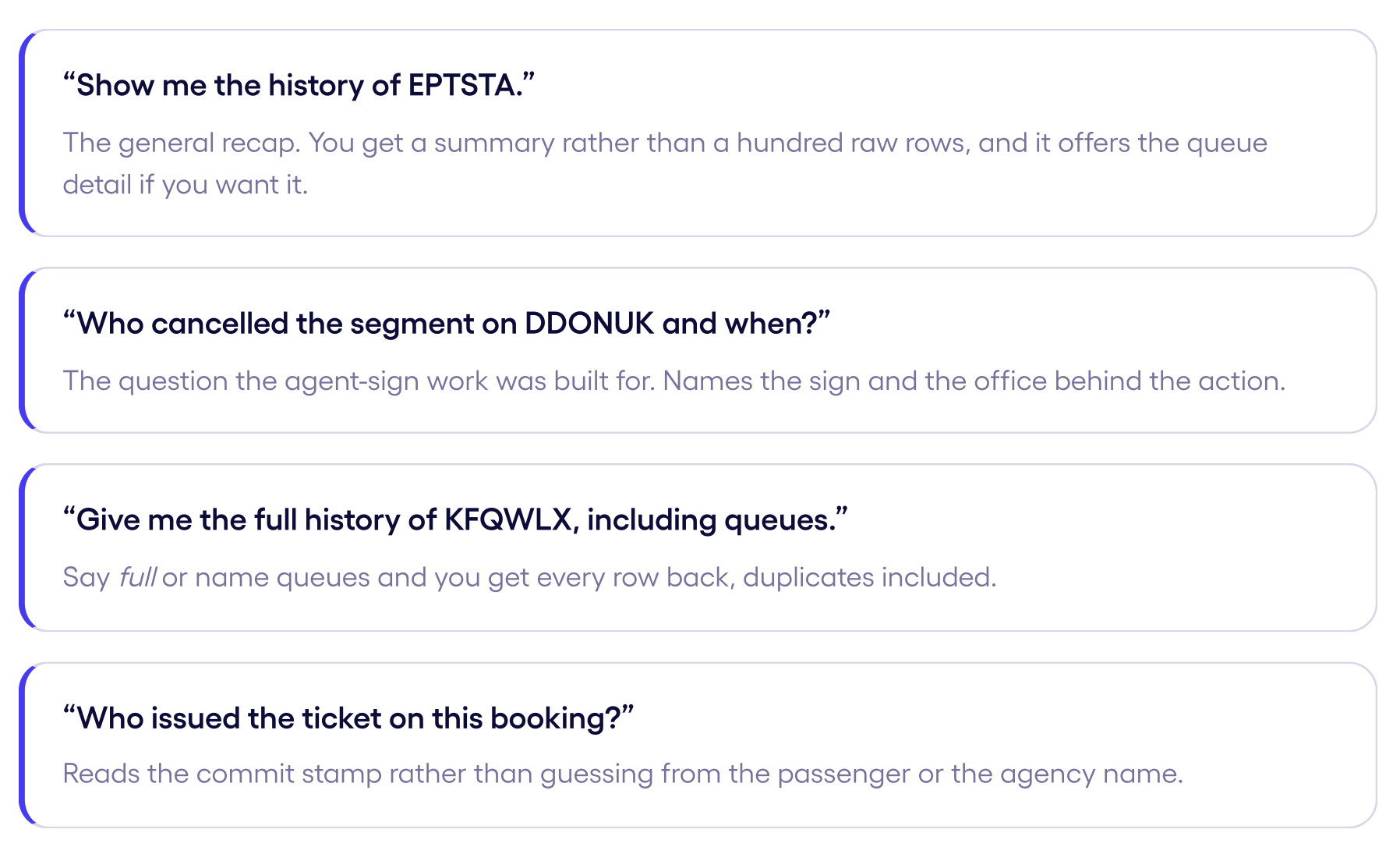
Some samples:
Always say "history" in your prompt.
Co-pilot only pulls the historical data when the request explicitly references the history, otherwise it returns the current state of the booking instead.
Updated 25 days ago